Keep up with
what pulls you in.

Your work. Your rabbit holes. That thing you can’t stop reading about.

Tell Carrot what interests you. Get a short, sourced roundup, then go deeper wherever you’re curious.

See how it works

In private alpha on iPhone and Android.

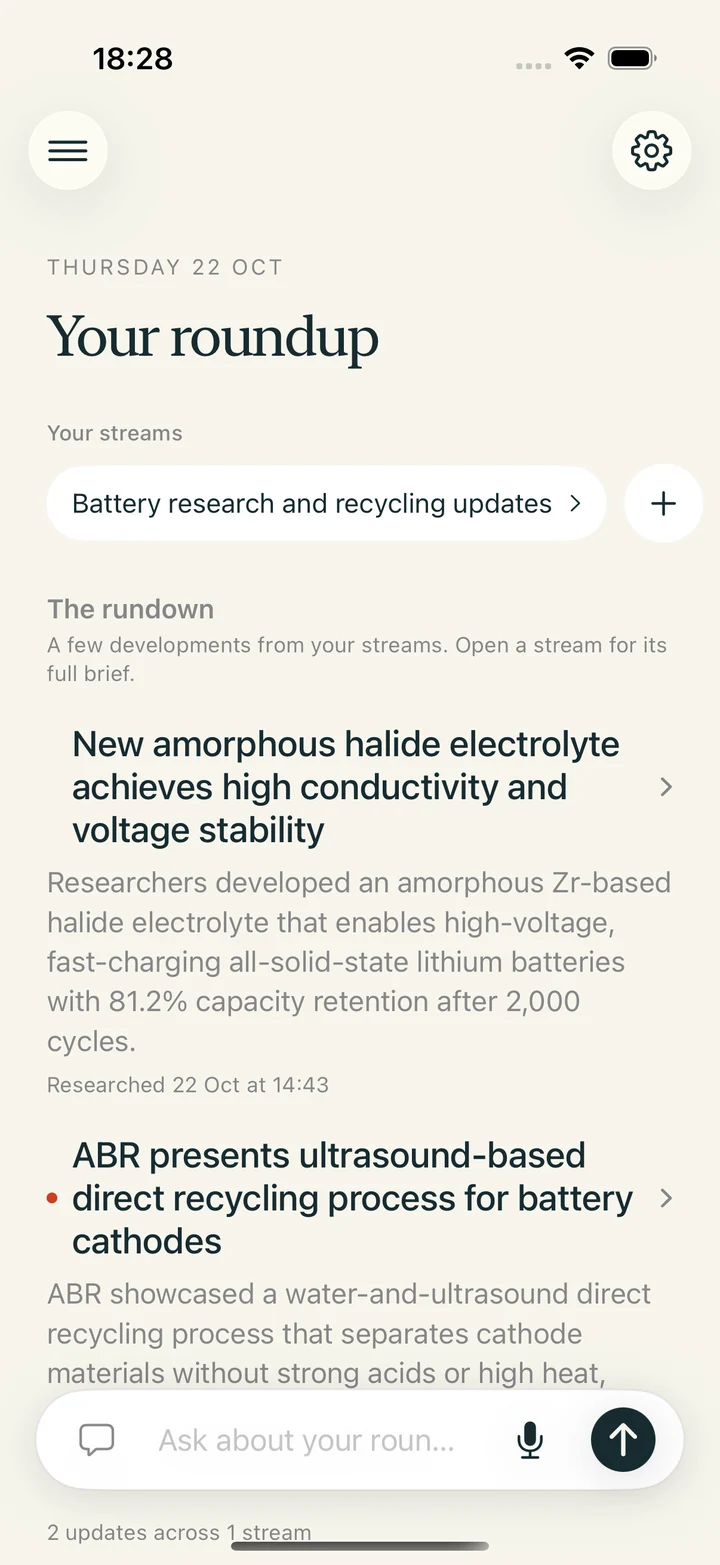
Current Carrot alpha: your streams above a rundown, with story summaries and a floating question bar.
The current alpha, with a test account.
Captured 22 October 2026.

Room for a very specific interest.

Battery researchIndependent filmsThe business of footballWhat’s next in space

From “I wonder”
to “I’m caught up.”

Three small steps through Carrot.
Scroll to follow along.

1 / Start with an interest

Say it as you would
to a friend.

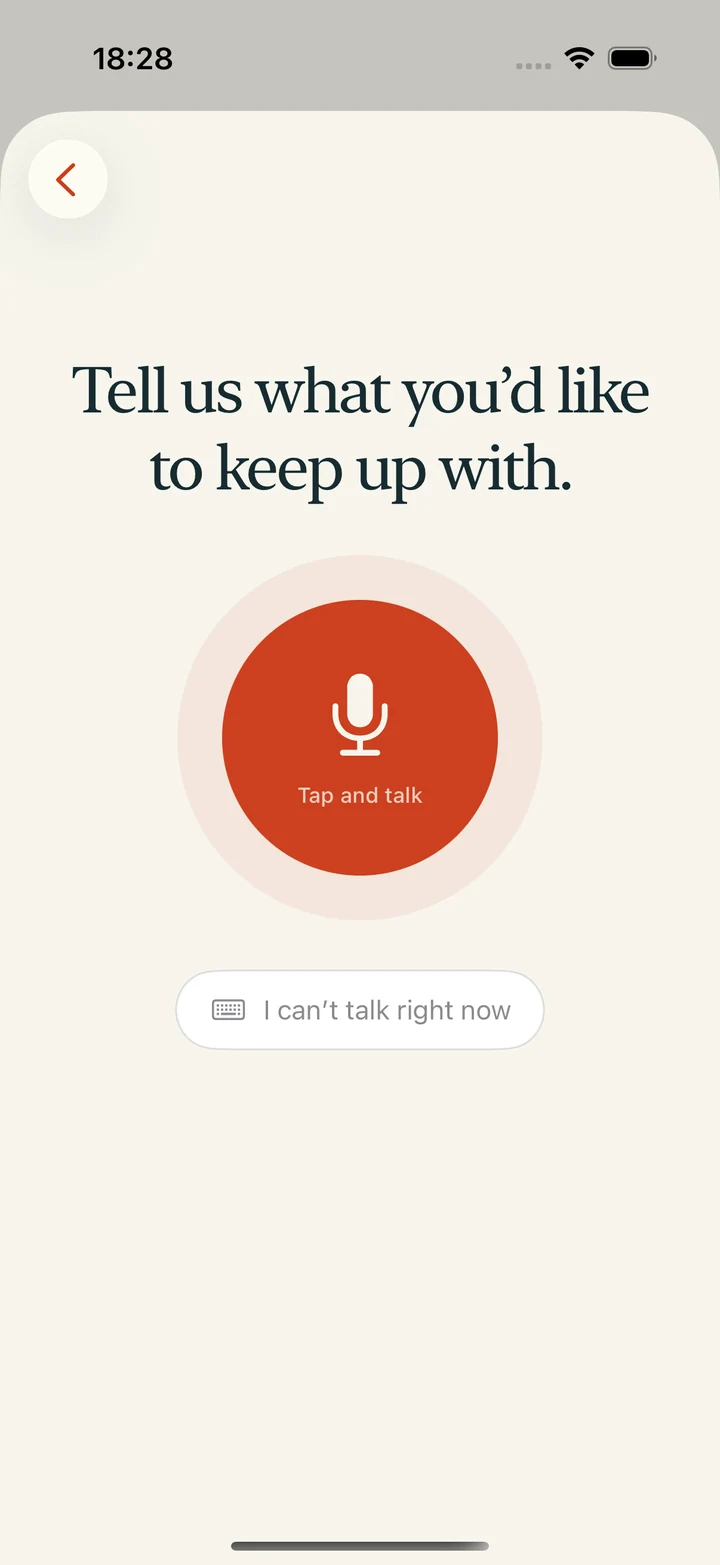
“Keep me up to date on battery research and recycling. Skip the stock prices.”

Speak or type. Carrot organises your request into a stream it can research. You don’t have to write a perfect prompt.

A guide to your first streamAdd a stream using the microphone or the clearly labelled typing button.
2 / Find your bearings

A place for each
part of your world.

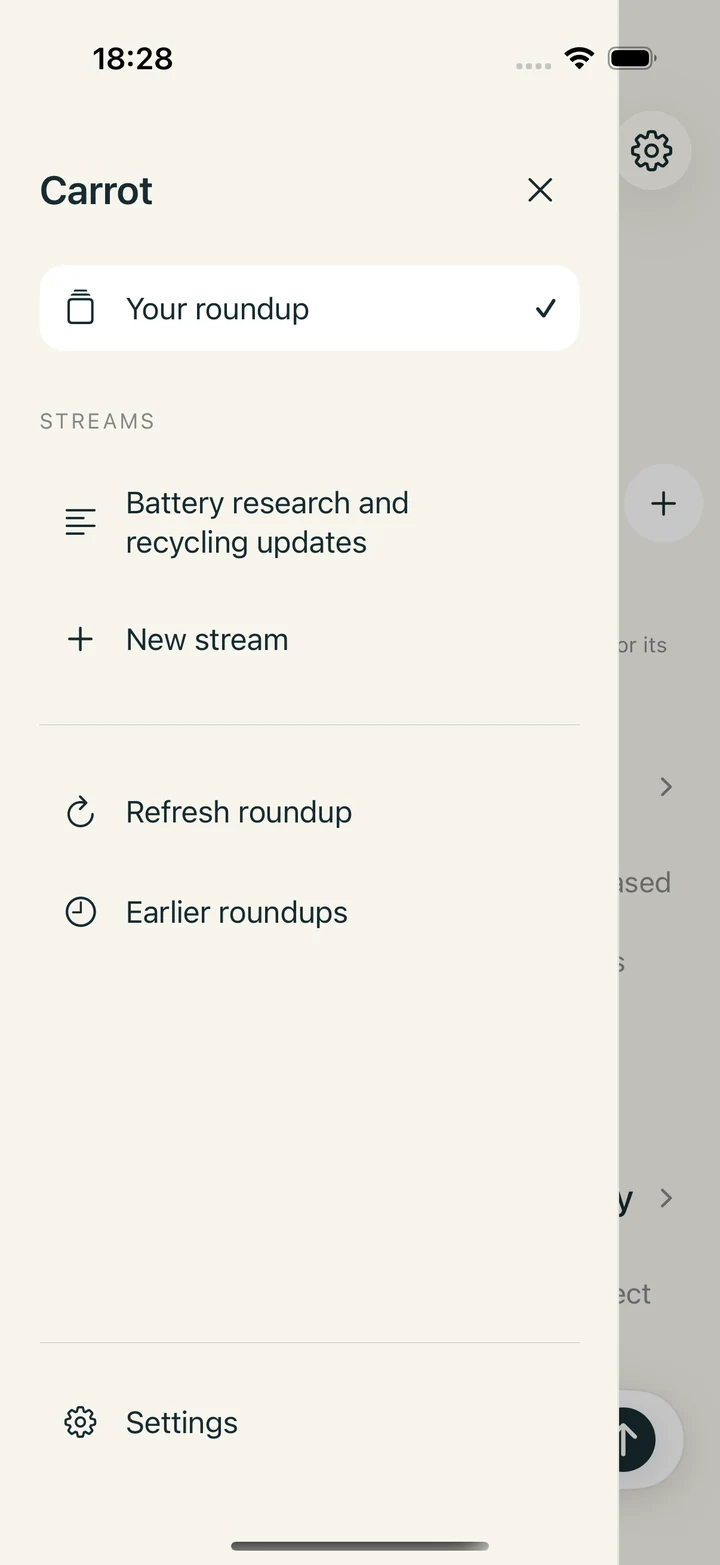
Keep different interests in separate streams. The roundup brings a few developments together; the side panel takes you straight to a particular topic.

Open what interests you. Leave the rest for another time.

Roundups, streams and stories explainedCarrot navigation drawer with the roundup, a saved stream and the new-stream option.
3 / Go a little deeper

The headline is
just the beginning.

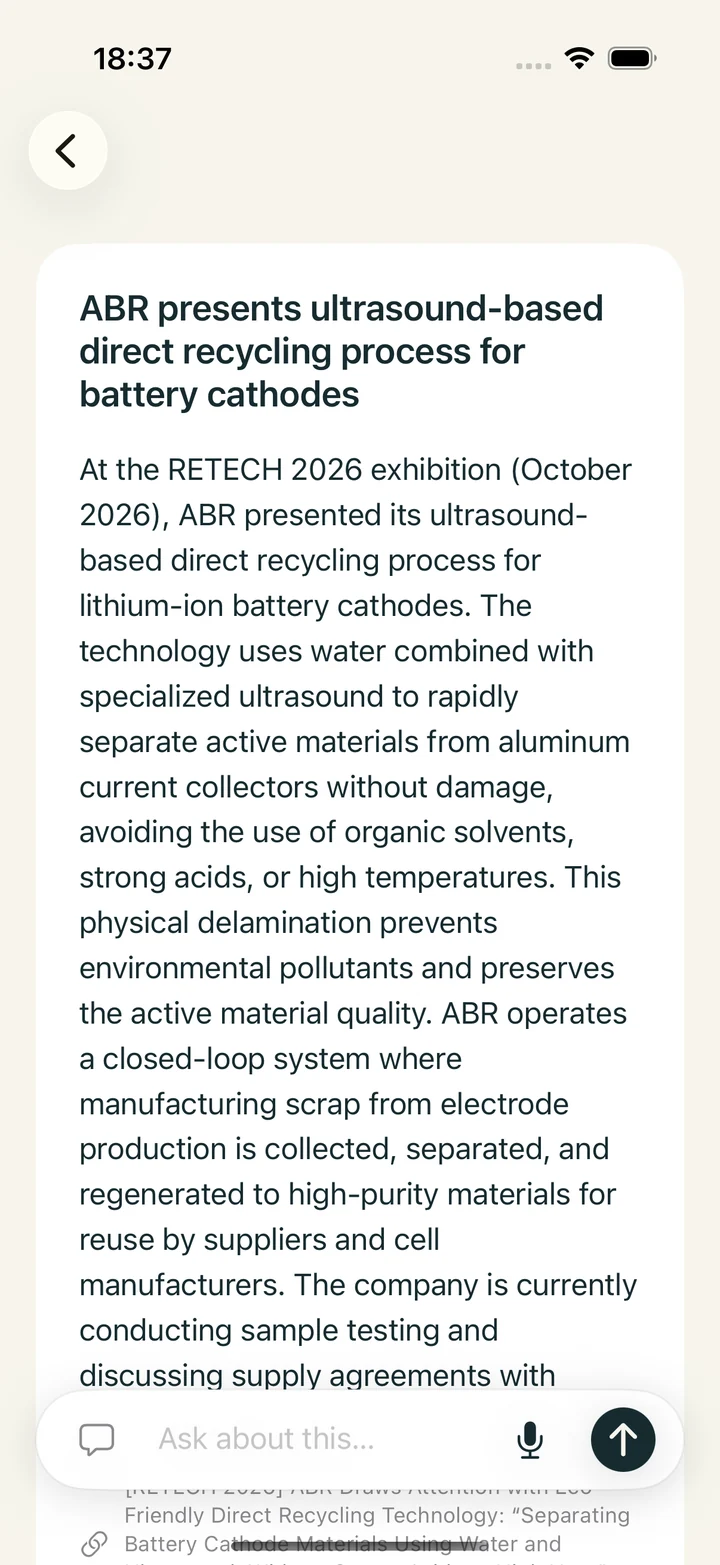
Open a story for the explanation behind it. Follow its sources to the original material, or ask a question right where you’re reading.

Choose the amount of detail and writing style in your stream settings.

How to check a summary against its sourcesAn expanded Carrot story with a longer evidence-based explanation and the question bar below.
Add a stream using voice or text.
Start with an interest.

A short read.
A longer thought.

A useful brief helps you decide what deserves your attention. Some days that’s a quick skim. Other days, one story sends you further.

Carrot keeps the question box and the sources within reach.

“What does this change?
What’s still uncertain?
Where can I read more?”
A few questions worth asking your brief.

Good things to know.

All articles

What is a personalised news brief?

How a finite briefing differs from a feed, and how Carrot organises your interests into streams, a roundup and individual stories.

Read article

How to write a useful interest stream

Give your personal news brief a subject, a boundary and a useful angle. Examples for research, work and interests, without complicated prompting.

Read article

How to check an AI news summary

A practical source-checking routine: identify the claim, open the original, compare dates and numbers, and notice what the summary leaves uncertain.

Read article

A few fair questions.

What is Carrot?

Carrot is a personalised news briefing app for iPhone and Android. Describe your interests, get a sourced roundup, and open individual stories or ask follow-up questions. It is currently in a small, invited alpha.

Where do the stories come from?

Carrot researches the web around your saved interests and writes from the evidence it finds. Sources stay attached to stories. AI can make mistakes or miss context; the original source is there for you to check.

Can I use it without speaking?

Yes. Choose “I can’t talk right now” when adding a stream and type your interests. Questions can be typed too.

Is it free?

The invited alpha is free to use. There is no paid subscription tier in the current app.

How do I download it?

Public downloads are not available yet. Carrot is being tested by an invited group on iPhone and Android. Existing testers can contact the person who invited them for installation help.

A small alpha.
A clearer idea of what’s useful.

We’re testing Carrot on real phones and listening to the people using it. For now, it’s invitation-only.

Take a look around. There’s more to come.

Meet Carrot